
Table of Contents
Introduction:
In today’s fast-paced digital landscape, the ability to scale your website efficiently is essential for meeting the demands of growing traffic and ensuring a seamless user experience. As your online presence expands, managing sudden spikes in traffic becomes increasingly critical. Fortunately, cPanel, a widely used web hosting control panel, offers a plethora of features and tools designed to help you navigate this process effectively. From optimizing server resources to implementing advanced caching and load balancing solutions, c-Panel provides a comprehensive toolkit for scaling your website to new heights. In this guide, we’ll explore how you can harness the power of cPanel to manage growth and handle traffic spikes with confidence.
How to use cPanel for scaling your website:
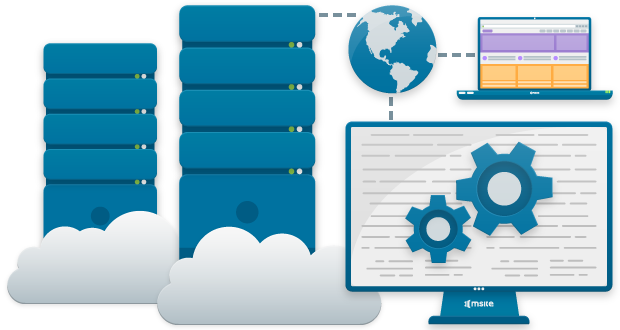
Scaling your website to manage growth and traffic spikes is crucial for ensuring optimal performance and user experience. cPanel, a popular web hosting control panel, offers several features and tools that can help you effectively manage this process. Here’s a guide on how to use cPanel for scaling your website:
- Optimize Server Resources:
- cPanel provides tools like Resource Usage and CPU/Memory/MySQL Usage that allow you to monitor server resources. Keep an eye on these metrics to ensure your website is not overloading the server.
- Optimize your website code and database queries to reduce resource consumption.
- Utilize Cloud Hosting:
- Many cPanel hosts offer cloud hosting options. Utilizing cloud infrastructure allows for easy scalability by adding or removing resources as needed.
- Content Delivery Networks (CDNs):
- Integrate your website with a CDN through c-Panel. CDNs cache your website content on multiple servers worldwide, reducing server load and improving page load times for users globally.
- Enable Caching:
- cPanel offers caching options like Varnish Cache and LiteSpeed Cache. Enable caching to reduce server load by serving cached content to users, particularly for static files like images, CSS, and JavaScript.
- Load Balancing:
- If you have multiple servers, control Panel’s Load Balancer feature helps distribute incoming traffic across these servers evenly, preventing any single server from becoming overwhelmed during traffic spikes.
- Automatic Scalability:
- Some cPanel hosting providers offer automatic scalability features. This means your hosting resources can automatically adjust based on traffic demands without manual intervention.
- Database Optimization:
- Use tools like phpMyAdmin within control Panel to optimize your database tables, indexes, and queries for better performance during high traffic periods.
- Regular Backups:
- Set up regular backups using cPanel’s Backup Wizard or Backup Manager. In the event of a traffic spike causing issues or server failures, having recent backups ensures you can quickly restore your website to a stable state.
- Security Measures:
- Implement security measures through cPanel such as firewalls, SSL certificates, and brute force protection to safeguard your website against cyber threats, especially during times of increased traffic when your site may be more vulnerable.
- Monitoring and Alerts:
- Configure monitoring tools in control Panel to receive alerts for unusual spikes in traffic or resource usage. This allows you to proactively address issues before they impact your website’s performance.

By leveraging these features and tools within cPanel, you can effectively manage growth and handle traffic spikes while maintaining optimal website performance and user experience.
Conclusion:
In conclusion, scaling your website to accommodate growth and handle traffic spikes is an ongoing endeavor that requires careful planning and the right tools. With control Panel’s robust suite of features and intuitive interface, you can streamline the process of scaling your website and ensure optimal performance even during peak traffic periods. By leveraging tools for resource optimization, content delivery, load balancing, and security, you can effectively manage growth while delivering a seamless user experience.
Whether you’re a small business experiencing rapid expansion or an established enterprise navigating fluctuating traffic patterns, cPanel provides the scalability and flexibility you need to thrive in today’s digital landscape. So, embrace the power of cPanel and empower your website to reach new heights of success.