Table of Contents
What is site redirection?
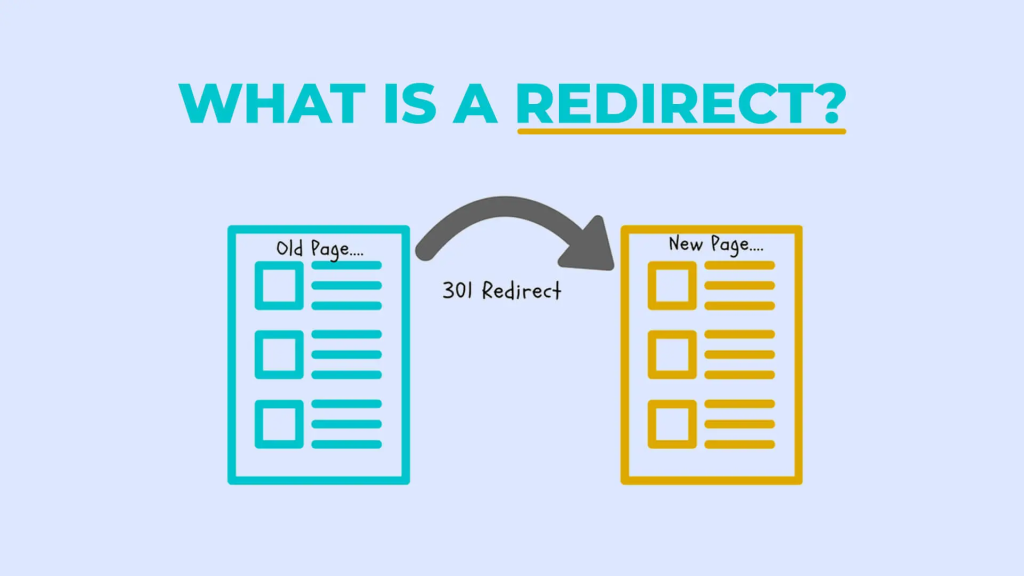
Site redirection, also known as URL redirection or URL forwarding, is a web development technique that automatically forwards users from one URL to another. It’s commonly used when a website undergoes changes such as a domain name update, URL consolidation, or page/content relocation. For instance, when a website moves to a new domain, redirection ensures that visitors are directed to the new domain seamlessly.
Similarly, if a page’s URL changes, redirection ensures that users are redirected to the new URL instead of encountering a broken link. Redirection can be temporary or permanent, depending on the circumstances, and it’s implemented using HTTP status codes like 301 (permanent redirect) or 302 (temporary redirect). Overall, site redirection helps maintain website accessibility, improves user experience, and aids in managing changes in website structure or content organization.
Site re-direction, also known as URL redirection or URL forwarding, is a technique used in web development to automatically redirect a user from one URL to another. This is often done for various reasons, such as:

- Change of Domain: When a website moves to a new domain, site re-direction can be used to automatically forward users from the old domain to the new one, ensuring that visitors still reach the intended content.
- URL Consolidation: If a website has multiple URLs that lead to similar or identical content, redirection can be used to consolidate these URLs into a single preferred URL. This can help improve search engine optimization (SEO) by preventing duplicate content issues.
- Page or Content Moves: When a specific page or piece of content on a website is moved to a new URL, redirection can be set up to automatically redirect users who try to access the old URL to the new location.
- Temporary Maintenance or Error Pages: Site re-direction can be used to temporarily redirect users to a maintenance page or an error page (such as a 404 Not Found page) when a website is undergoing maintenance or when a requested page is not available.
Site redirection is typically implemented using HTTP status codes, such as 301 Moved Permanently (for permanent redirects) or 302 Found (for temporary redirects), along with server-side configuration or scripting. This ensures that when a user’s browser requests a URL, the server responds with the appropriate redirect instruction, guiding the user to the desired destination.
Steps for adding URL redirection.
Login to cPanel: Access your cPanel account using your username and password.
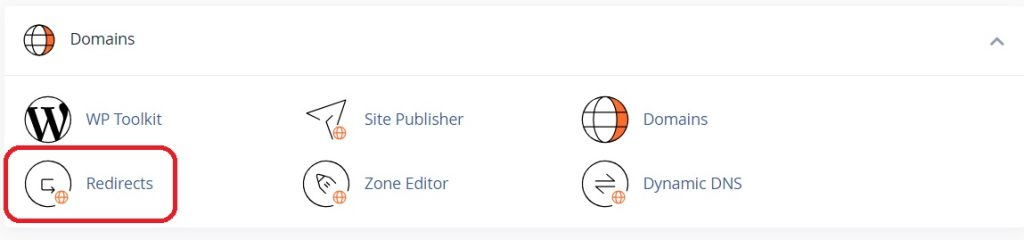
Locate the Redirects Icon: In the cPanel dashboard, look for the “Redirects” icon. It’s usually located in the “Domains” section or under the “File” section, depending on your cPanel theme and version.
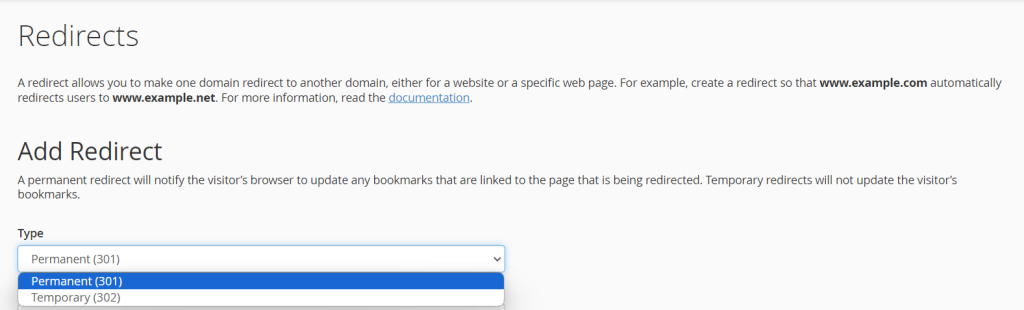
Choose Redirect Type: In the Redirects interface, you’ll see options for setting up redirects. You can choose between Permanent (301) and Temporary (302) redirects. A 301 redirect is used for permanent changes, while a 302 redirect is temporary.
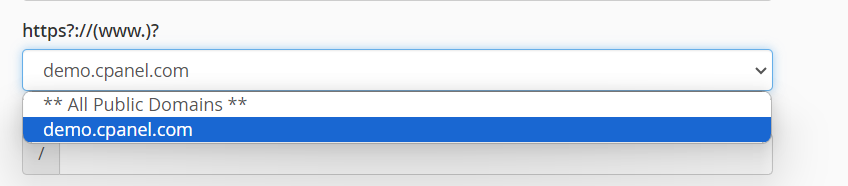
Select the Domain: Choose the domain from the drop-down menu for which you want to set up the redirect.
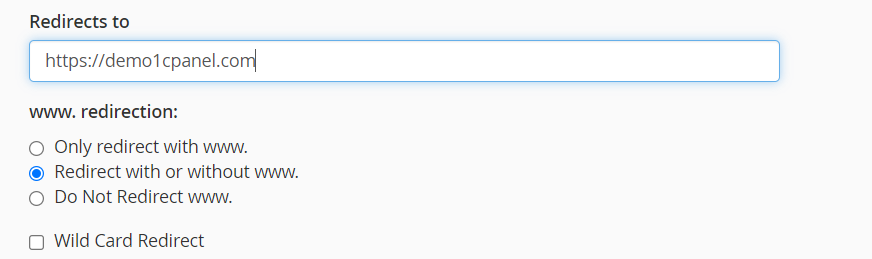
Enter Source URL: In the “Redirects to” field, enter the URL to which you want to redirect the traffic. Make sure to include the full URL, including the “http://” or “https://”.
Choose Re-direction Options: You can choose additional options such as whether to redirect with or without www, and whether to redirect with or without a trailing slash.
Wildcards: Optionally, you can use wildcards to redirect multiple URLs to a single destination.
Add Redirect: Once you’ve configured the redirect settings, click on the “Add” button to save the redirect rule.

Test the Redirection: After adding the redirect, make sure to test it by accessing the source URL in a web browser and verifying that it redirects to the destination URL as expected.
The cPanel Redirects feature provides a user-friendly interface for managing URL re-direction without the need to edit configuration files manually. It’s a convenient tool for website owners to ensure that visitors are directed to the appropriate pages or websites based on their URL requests.
What are the importance of site redirection?
Site re-direction serves several important purposes in web development and website management:

- Maintaining SEO: Redirection helps preserve search engine rankings by ensuring that old URLs are redirected to new ones. This prevents the loss of traffic and authority associated with changing URLs, domains, or restructuring a website.
- Preserving Backlinks: Re-direction allows websites to retain the value of inbound links from other websites. When URLs are redirected, the authority and link equity associated with the old URLs are passed on to the new ones, helping to maintain the website’s backlink profile.
- Enhancing User Experience: Redirection ensures that users are automatically directed to the correct pages, even if they attempt to access outdated or moved content. This reduces the likelihood of encountering broken links or error pages, improving user satisfaction and engagement.
- Managing Website Changes: Re-direction facilitates website restructuring, domain migrations, or changes in URL structure by seamlessly guiding users to the new locations of content. It simplifies the process of updating and maintaining websites while minimizing disruptions for users.
- Addressing Errors and Maintenance: Temporary redirection can be used to redirect users to maintenance pages or custom error pages (e.g., 404 Not Found) when pages are temporarily unavailable or undergoing maintenance, providing a better user experience.
Overall, site redirection is a crucial tool for website administrators and developers to effectively manage changes, maintain search engine visibility, and provide a seamless experience for users navigating the website.