Table of Contents
Introduction
In the realm of web hosting, understanding the distinction between a dedicated IP and a shared IP is crucial for optimizing your website’s performance, security, and reliability. This is particularly relevant for users of shared hosting services, where multiple websites often share the same resources. Utilizing cPanel, a popular web hosting control panel, provides an efficient way to manage your hosting environment and ascertain the type of IP address your website is using. This guide will walk you through the steps to determine whether your website is on a dedicated IP or a shared IP within a cPanel environment.
What is dedicated IP Address?
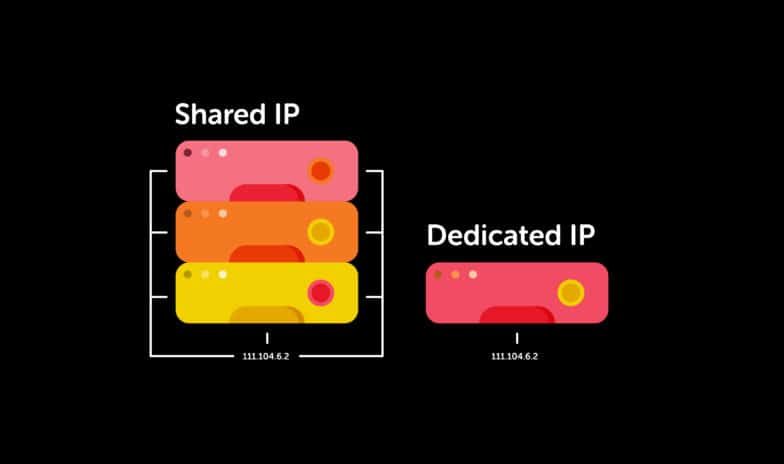
A dedicated IP address is a unique Internet Protocol (IP) address assigned exclusively to a single hosting account or website. Unlike a shared IP address, which is used by multiple websites on the same server, a dedicated IP is reserved for one specific site. Here are some key aspects and benefits of a dedicated IP address:
Key Aspects of a Dedicated IP Address
- Uniqueness:
- A dedicated IP is unique to a specific website or account. No other websites share this IP address.
- Direct Website Access:
- With a dedicated IP, you can access your website directly by typing the IP address into a web browser. For example, entering
123.456.789.012could take you directly to your website.
- With a dedicated IP, you can access your website directly by typing the IP address into a web browser. For example, entering
- Consistency:
- Your IP address remains constant and does not change, providing a stable and consistent point of access.
What is shared IP Address?
A shared IP address is an Internet Protocol (IP) address that is used by multiple websites hosted on the same server. This is a common practice in shared hosting environments where resources, including the IP address, are pooled among several users. Here are some key aspects and benefits of a shared IP address:
Key Aspects of a Shared IP Address
- Multiple Websites on One IP:
- A shared IP is used by multiple websites, meaning several domains resolve to the same IP address.
- Cost-Effective:
- Shared IPs are typically part of shared hosting plans, which are more affordable because the cost of the server is distributed among many users.
- Resource Sharing:
- All sites on a shared IP share the server’s resources, such as CPU, memory, and bandwidth.
Steps to Check dedicated IP or a shared IP cPanel
In a cPanel environment, you can determine whether your website is using a dedicated IP or a shared IP through a few straightforward steps:
Log in to cPanel:
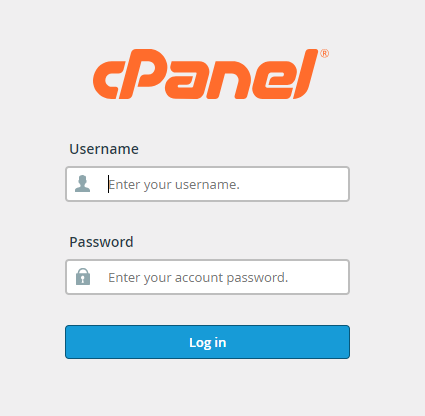
Access your cPanel account using the provided login credentials from your hosting provider.
Check the General Information Section:
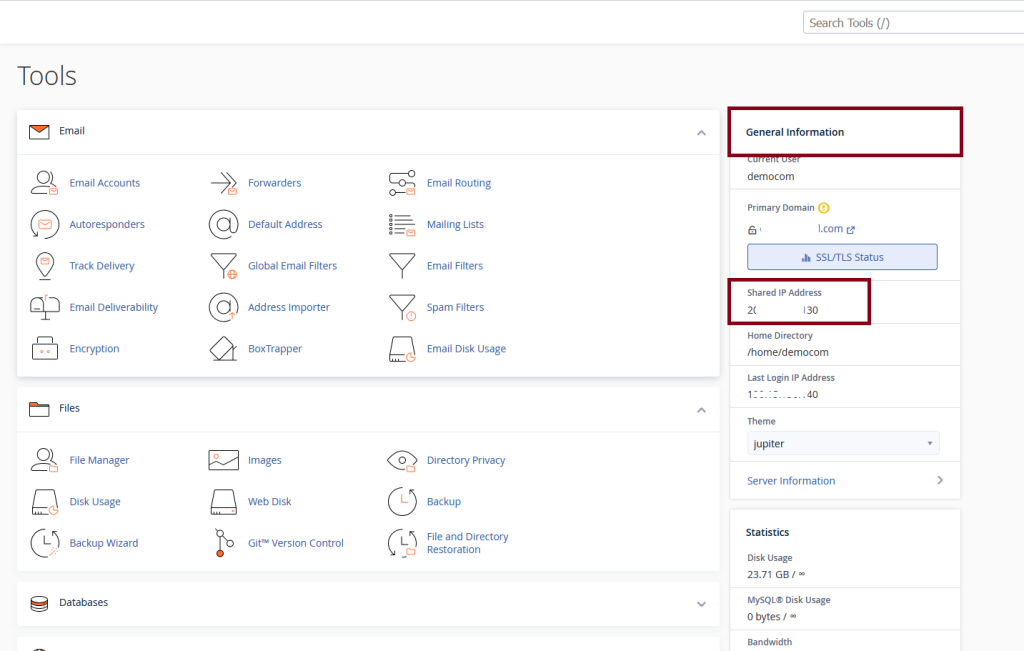
- Once logged in, you will see a “General Information” section on the right-hand side of the cPanel dashboard.
- Look for the “Shared IP Address” or “Dedicated IP Address” label.
- If it says “Shared IP Address,” your website is using a shared IP. If it says “Dedicated IP Address,” your website has a unique IP.

Check the Server Information Section:
- Scroll down to the “Server Information” section or find it in the cPanel menu.
- In this section, you will see details about your server, including the IP address.
- If it’s a shared IP, the section might specifically state “Shared IP” or simply list the IP without specifying it as dedicated.
Domains Section:
- Go to the “Domains” section in cPanel.
- Select “Addon Domains” or “Subdomains,” depending on what you have set up.
- Check the IP address listed for your domain(s). If multiple domains show the same IP address, it’s a shared IP.
Use IP Lookup Tools:
- Use an external IP lookup tool like WhatsMyIP, MxToolbox, or similar.
- Enter your domain name to see the associated IP address.
- If multiple domains are associated with the same IP address, it indicates a shared IP.
Contact Your Hosting Provider:
If you are still unsure, contact your hosting provider’s support team. They can confirm whether you are using a shared or dedicated IP.
Summary

By following these steps in cPanel, you can easily determine whether your website is on a shared IP or a dedicated IP. The information is usually straightforward and readily accessible in the cPanel dashboard or through your hosting provider.
Conclusion
Knowing whether your website is on a dedicated or shared IP can have significant implications for your site’s performance, security, and email deliverability. By using the tools and information available in cPanel, you can easily identify your IP status and make informed decisions about your hosting needs. If you discover that your site is using a shared IP and you’re experiencing issues like poor email deliverability or need enhanced security, you might consider upgrading to a dedicated IP. Always consult with your hosting provider to understand the best options for your specific requirements. Understanding these differences ensures that you can optimize your website’s performance and security effectively.